Gradle
Gradle is a build automation tool for software development
Introduction
Gradle is a build automation tool used primarily for Java, Kotlin, and other JVM-based projects. It helps automate tasks such as compiling code, managing dependencies, running tests, and packaging applications.
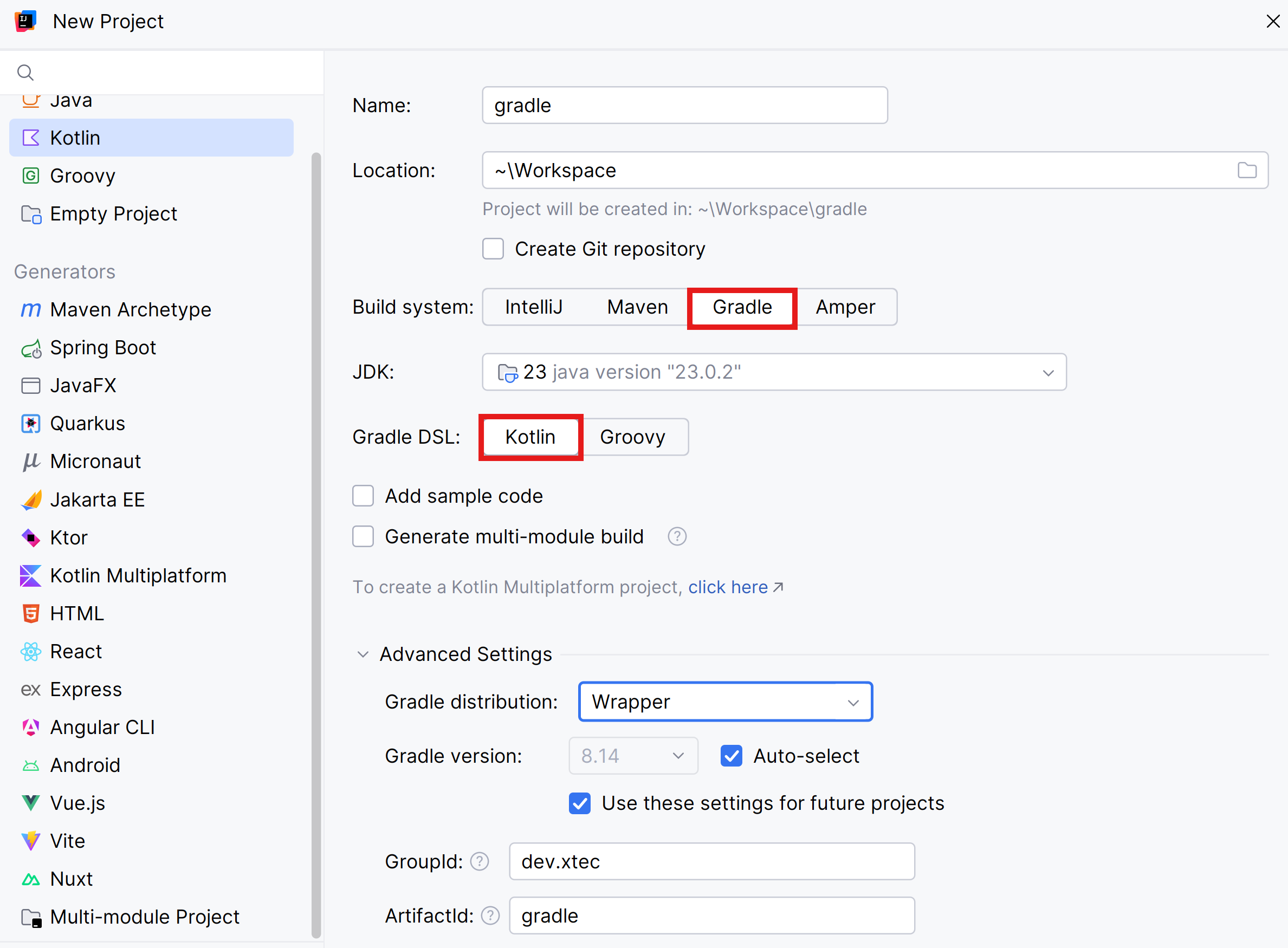
Create a new Kotlin project using Gradle and Kotlin Gradle DSL:
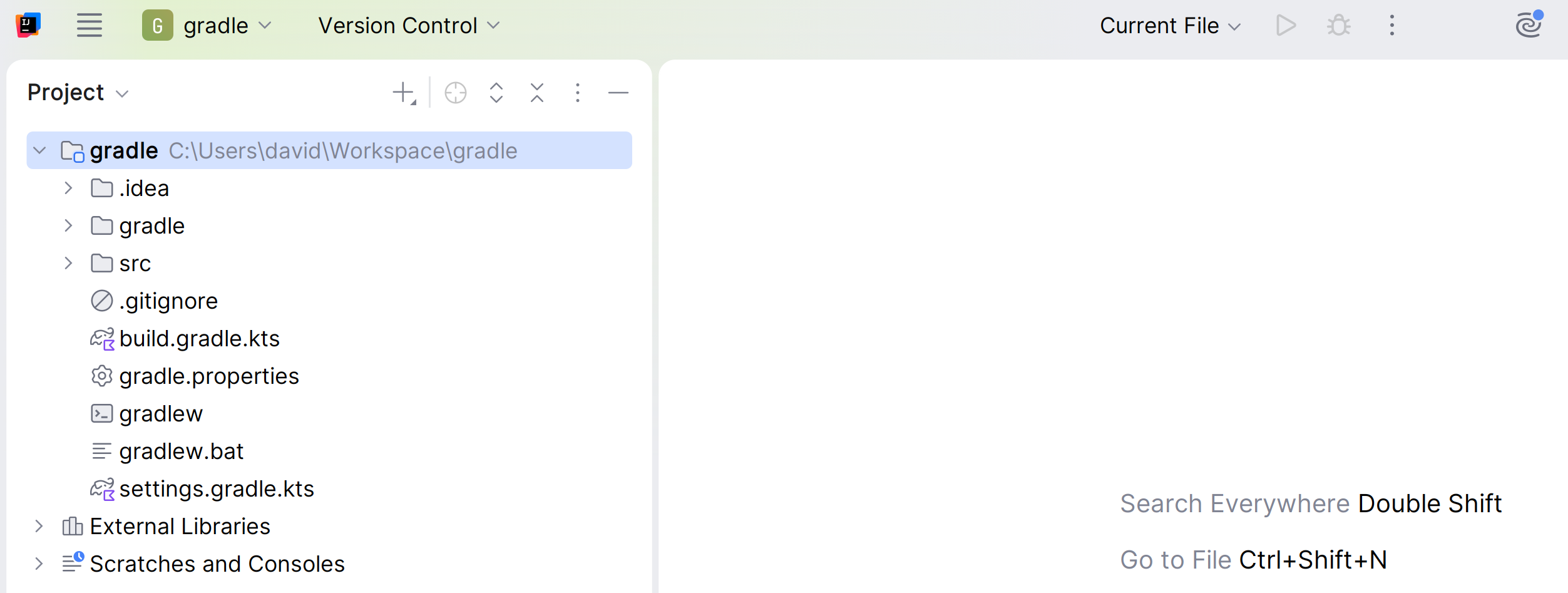
You can see that different files have been created:
Gradle Wrapper
When creating the project, the gradle folder has been created:
ls .\gradle\wrapper\Directory: C:\Users\david\gradle\gradle\wrapper
Mode LastWriteTime Length Name
---- ------------- ------ ----
-a---- 4/10/2024 8:40 43583 gradle-wrapper.jar
-a---- 4/10/2024 8:40 253 gradle-wrapper.propertiesThis folder contains the JAR file and the configuration of the Gradle Wrapper.
This application is executed with the file gradlew.bat (for Windows) or gradlew (for macOS and Linux).
The “Gradle Wrapper” uses a specific version of Gradle, and if this version is not on the computer, it downloads it directly from the Internet.
This way any user working with the project will use the same version of Gradle, even if they don’t have Gradle installed on their computer.
Project
The general project configuration is in the settings.gradle.kts file.
If you look at the file’s content, you can see that the project name is “gradle” and it includes the “app” subproject:
plugins {
    id("org.gradle.toolchains.foojay-resolver-convention") version "0.8.0"
}
rootProject.name = "gradle"
The src folder contains your project code.
The build.gradle.kts file that contains the project configuration:
plugins {
    kotlin("jvm") version "2.2.21"
}

group = "dev.xtec"
version = "1.0-SNAPSHOT"

repositories {
    mavenCentral()
}

dependencies {
    testImplementation(kotlin("test"))
}

kotlin {
    jvmToolchain(23)
}

tasks.test {
    useJUnitPlatform()
}
You're reading a preview.
Sign in to read the full article. Any account opens 4 free articles a month; students and teachers read their course pages without limit.
Sign in